Construction & Documentation
Beyond Photography: How to Visually Document Construction Progress
A construction site changes constantly, and many conditions disappear from view as work progresses. 3D captures taken at defined milestones can preserve spatial context, support visual comparison between stages and create a navigable record of the project.
Hundreds of photographs do not always preserve context
Photographs are taken constantly on construction projects: an installation before it is covered, the progress of a room, a detail requiring follow-up or a condition that needs to be documented.
The difficulty may appear weeks or months later, when hundreds of images exist and someone needs to understand what was outside the frame.
Which room was this? Which wall was the camera facing? What was on the other side? Do we have the same location documented before it changed?
Photography remains essential for documenting details. A 3D capture adds something different: spatial context.
Some stages can only be documented once
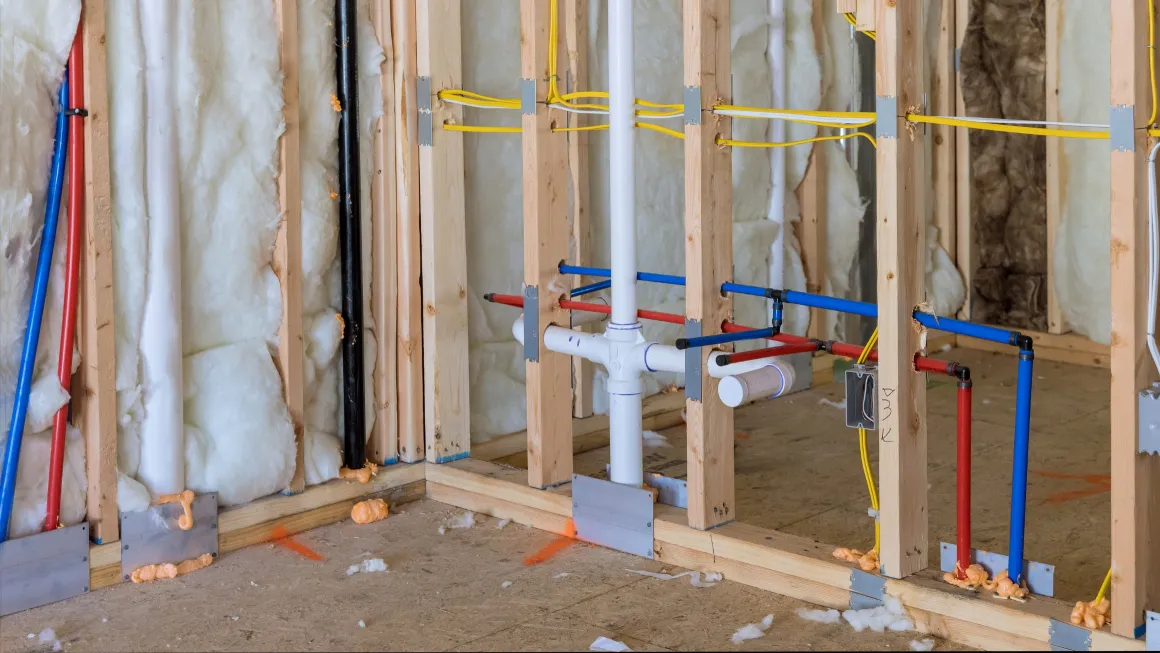
Construction transforms and conceals its own history. Installations visible today may be behind a wall tomorrow. An open area will later contain partitions, finishes and furniture.
Capturing selected milestones in 3D preserves a navigable representation of those conditions before they change.
That does not mean scanning the site every day. It can be much more useful to determine which stages have meaningful documentary value for the particular project.
The question is simple: what might we need to see again after it is no longer visible?
Comparing stages can be more intuitive than comparing folders
When captures exist from different dates, we no longer depend only on two collections of photographs.
Matterport has introduced tools for comparing captures from different dates, including Side-by-Side, currently presented as a beta capability. This type of visualization can allow two states of a space to be navigated together so that changes can be observed more intuitively.
That can make visual progress review considerably easier.
However, a visual comparison must not be confused with technical analysis of deviations, tolerances or construction accuracy. Projects requiring that level of evaluation need the appropriate professional workflows and expertise.
Information can remain connected to its location
The digital twin can also provide spatial context for additional information.
Tags, Notes, measurements and other tools can associate information with specific places according to the features available and the needs of the project.
This can help prevent an observation from becoming separated from the element it describes.
Projects that need to continue working with captured spatial information outside the tour may also use additional deliverables such as floor plans, MatterPak, E57 point clouds, CAD or BIM.
They serve different purposes, and not every project needs all of them.
Visual documentation is not inspection or certification
This distinction matters.
A 3D capture can preserve visible conditions and spatial context. It does not replace a professional inspection, land survey, certification or other documentation that must be produced by an appropriately qualified professional.
Nor should every tool and deliverable be assumed to provide the same type or level of accuracy.
The value of 3D documentation is the ability to revisit and understand selected spatial conditions after construction has progressed.
Build a visual memory of the project
Photography, video and 3D documentation do not need to compete.
Photography can preserve specific details. Video can document processes. A digital twin adds spatial context and the freedom to explore again.
Combined with a milestone-based capture strategy, these resources can create a more organized visual record of the project.
A completed building shows the final result. Intermediate captures can preserve part of the history behind that result.
If you are starting a construction project or already have one underway, we can discuss which stages may be worth documenting and what information you need to preserve.
Back to the Blog