

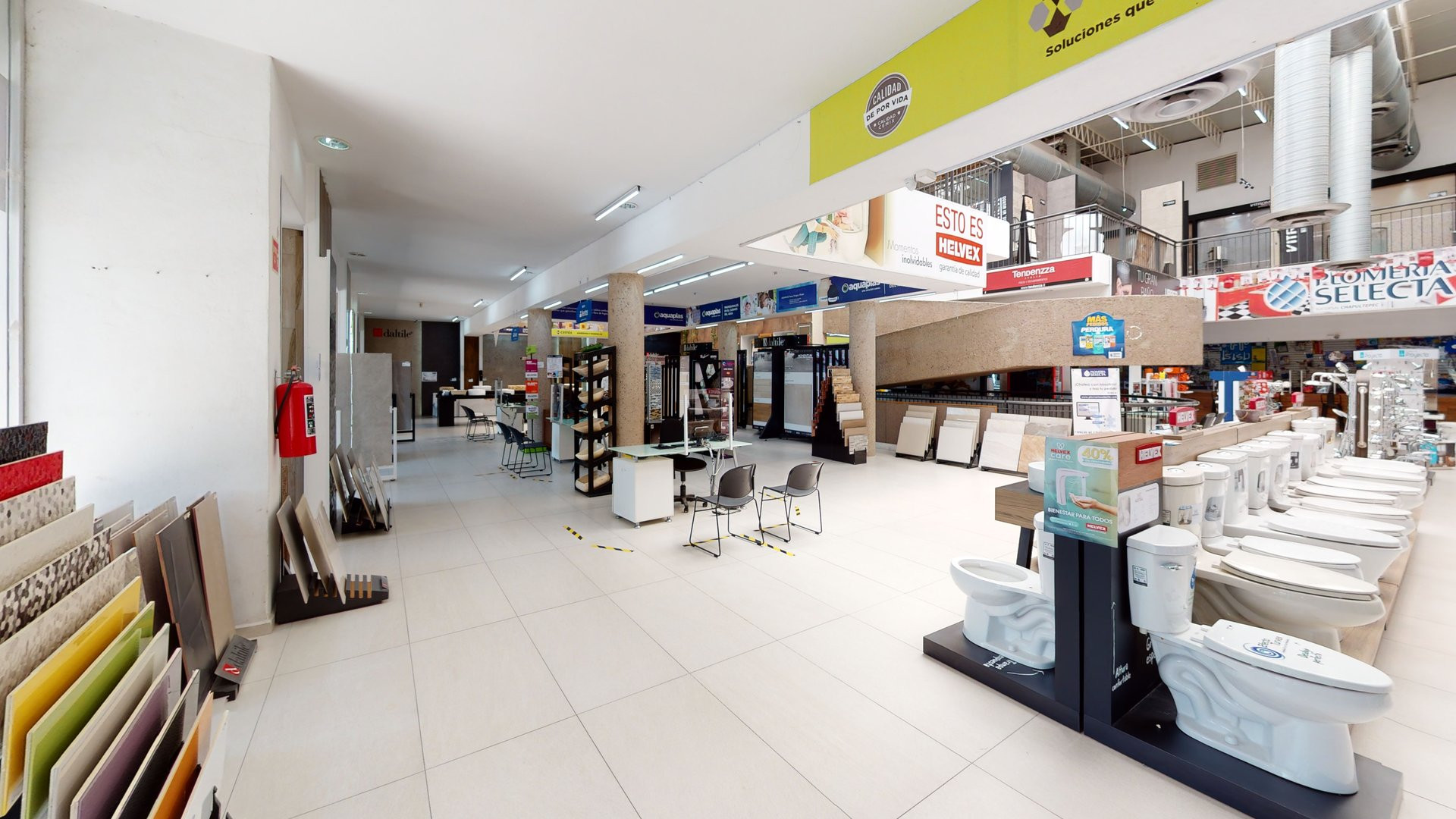
Showroom floors
where every piece on the floor has a name, a spec, and a price worth showing.
A 3D walkthrough with interactive points: whoever visits taps a product, an area, or a detail and gets the information you chose to put there.
Showroom floor
We turn your space into a navigable, interactive 3D experience designed to present products, services, or information. Visitors can discover what you offer at their own pace, from any browser.
3D WALKTHROUGH
The visitor moves between areas, looks around, and understands how it all connects. What they see is the space as it was captured.
INTERACTIVE 3D SHOWROOM
Points are placed over that same walkthrough, in the places that matter. The visitor taps them and up comes a product name, a spec sheet, an image, a link, or a video. The information lives inside the space, next to the thing it describes.
The points are defined with you, one by one, over the space once captured. Each one can serve a different purpose.
IDENTIFY
Name a product, a material, a finish, or an area, right where it sits.
EXPAND
Add a spec sheet, a detail image, or a video about what the visitor is looking at.
DIRECT
Link to a page of your own: the product listing, the contact form, or the catalogue.
ORIENT
Point out where to go next, what's in the next room, or how to reach a specific area.
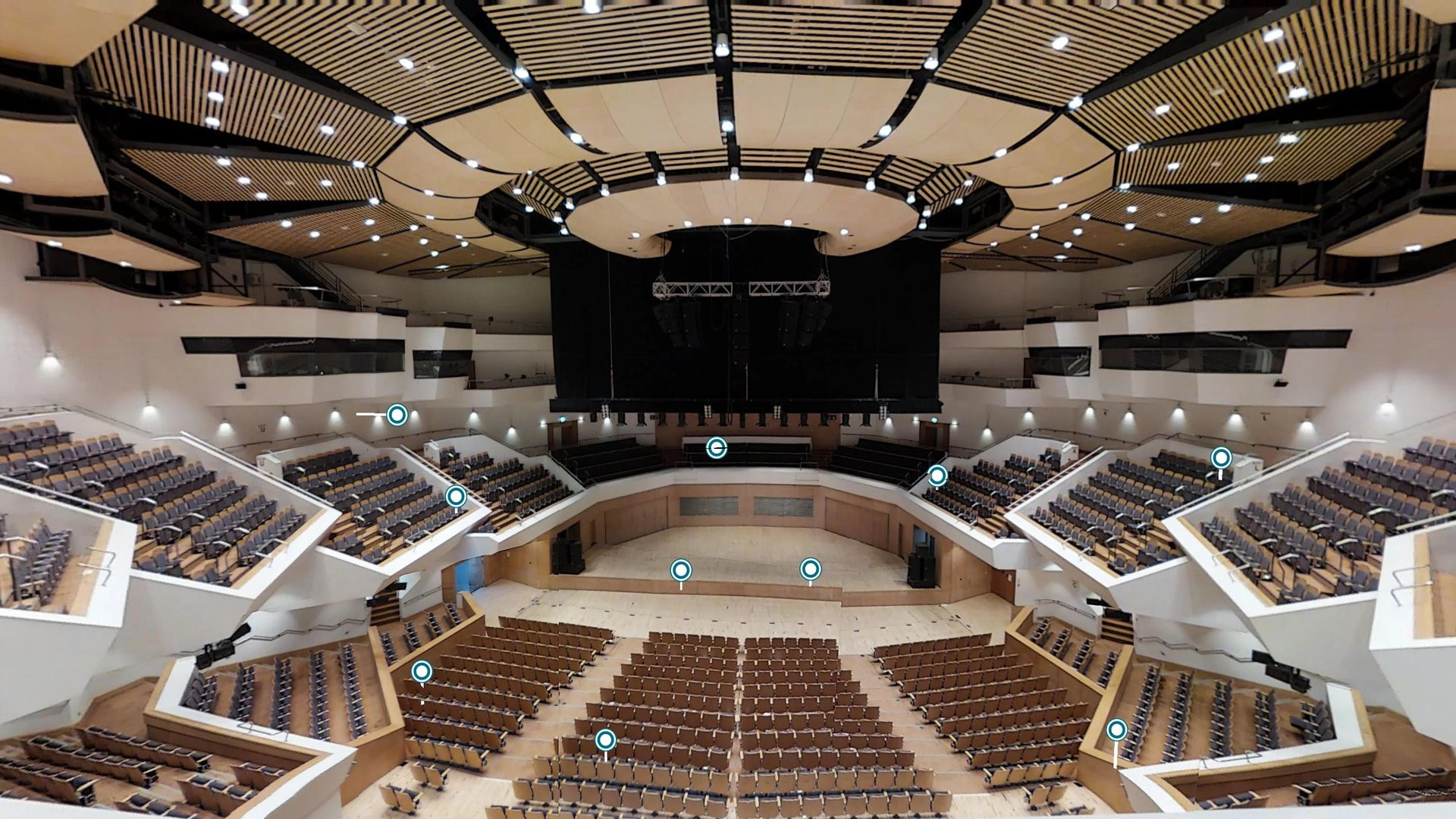
The same format holds a large-capacity auditorium.
The points you can see over the space
Each circle opens information without taking the visitor out of the walkthrough.
where every piece on the floor has a name, a spec, and a price worth showing.
that want to take the visitor from the walkthrough to the product listing.
museums, exhibitions, and shows where there isn't always someone explaining.
where the visitor needs to know what each zone is and where to continue.
The content of each point —text, prices, spec sheets, images, and links— comes from you, and the points don't sync with your catalogue or your inventory: we don't operate online stores, we don't process payments, and we don't keep the content updated automatically.
We use Matterport technology for 3D capture and interactive spatial experiences.
To remain available online, the experience requires active hosting. Hosting terms are defined within each proposal according to project scope.
A showroom floor and a temporary exhibition need different points. Write to us with the details of the space and we'll propose what to highlight and with what information.

Loading the walkthrough…
It may take a few seconds depending on your connection.
COULDN'T LOAD
The walkthrough didn't load
It may be your connection or the model provider. Try again.